What the adhesion stick does on your print bed
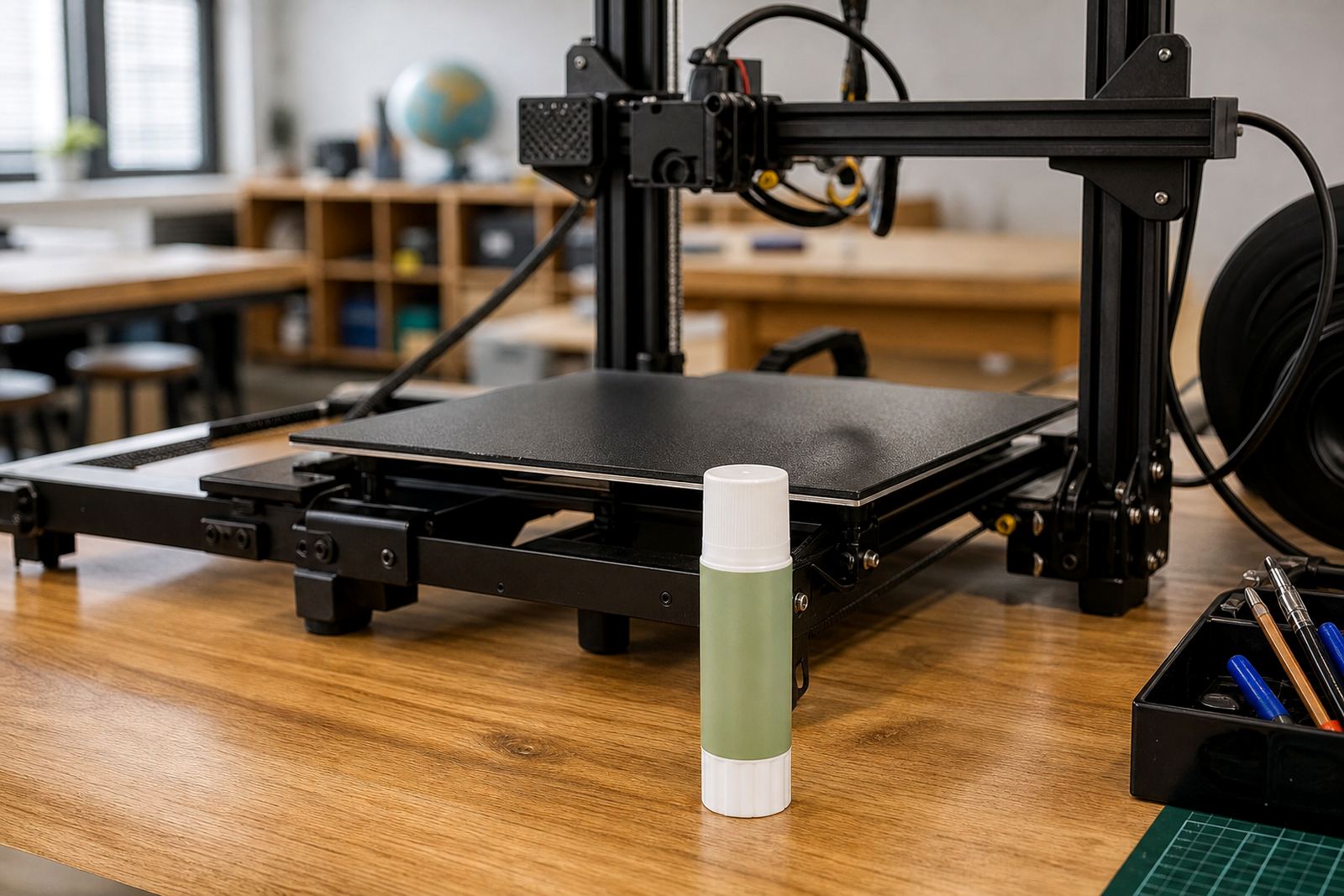
An adhesion stick adds a thin, controlled layer to the build surface so the first layer grips well while the part is heating and printing. It is useful on glass, coated plates and other common bed surfaces when you want a simple option for routine jobs.
The finish is made for fast application with no special tools needed. You apply a light coat to the print area, let it settle for a short moment, then start the job as normal. It is handy for users who change materials often and need a tidy way to reset the bed between prints.
- Works as a quick first-layer aid for everyday prints
- Helps reduce edge lift on smaller and medium parts
- Easy to clean off when you are changing jobs
- Suitable for workshop use, school labs and shared printers
Sizes and pack options for different printing volumes
The adhesion stick is supplied in a practical hand-held format for single-printer use, with pack options suited to light, medium and higher-volume printing. This makes it easier to choose stock for one machine at home or several machines in a lab or farm setup.
For regular use, check how many beds you prep in a week and whether your team needs one bottle per printer or shared supply for the whole room. If you are standardising multiple printers, it is often better to order a few extra units so there is always one ready when a bed needs a fresh coat.
- Single stick for personal or home workshop use
- Multi-unit supply for school labs and production rooms
- Hand-held application format for quick bed prep
- Store flat and upright to keep the cap and applicator in good condition
Best use cases in South African print rooms
This product suits everyday PLA work, school demonstrations, rapid prototypes and short-run production where turnaround matters. It is a good match for users in Centurion, Pretoria East, Midrand and Johannesburg who want a simple adhesion aid before the next print starts. In coastal areas like Cape Town, Durban and Gqeberha, it can also help when humidity makes first-layer behaviour a bit less predictable.
Use it for jobs where a full surface recoat is not needed every time. It is especially practical when the team wants quick cleanup after a class, or when a print farm needs to get the bed back into service fast, without waiting for complicated prep.
- Everyday hobby printing
- School lab and maker space use
- Short production runs and small batch parts
- Shared printer fleets where simple reset steps matter
How to apply it and what power or gas you need
Application is straightforward. Make sure the bed is clean and cool, then apply a light, even coat to the area where the print will sit. A little goes a long way and you do not need heat, compressed gas or special power equipment to use it.
Once the coat is in place, allow it to dry or settle briefly before starting the print. If you are using a heated bed, the first layer can be started as usual after the surface is ready. For shared rooms, keep the cap tight after use so the stick does not dry out. If the room has dust from sanding or cardboard packing, wipe the bed first so the coat bonds properly.
- No electricity, gas or extra hardware required for application
- Use on a cool, clean build surface for best results
- Allow a short settling time before printing
- Keep the cap closed after use to reduce drying out
Care, cleanup and servicing between prints
After printing, let the bed cool before removing the part. Many prints will release more easily once the temperature drops, which helps prevent damage to the surface and the model. If a light residue remains, clean the bed with the method recommended for that surface before applying a fresh coat.
For busy users, a simple routine works best: wipe the bed, reapply only where needed and inspect the first layer after the first few jobs. If adhesion suddenly changes, check for dust, fingerprints, uneven bed heat or a warped plate. On sites with load-shedding, allow the printer and bed to return to a stable temperature before restarting the next job.
- Let the bed cool before part removal
- Reapply only where the print area needs it
- Clean the surface as part of your normal print routine
- Check for dust, wear or heat changes if grip becomes inconsistent
What to check when ordering for your printer setup
When ordering, match the product to your bed size, surface type and print volume. If you run several machines, check whether all beds are the same size or if you need different coverage for each printer. Schools and farms should also confirm how the team will store and share the supply, because that affects how much to order at once.
It also helps to think about the materials you print most often. A user printing small school models may need a different routine from a farm running longer jobs every day. If you are not sure, ask for help with the bed setup and the order can be matched to your workflow, not just the printer model.
- Bed size and usable print area
- Surface type already fitted to the machine
- How many printers need stock each month
- Whether the team needs training on application and cleanup
Key facts
| Product type | Bed adhesion stick for 3D printers |
|---|---|
| Application method | Manual stick application to the build surface |
| Typical use | PLA, prototypes, school lab prints and everyday jobs |
| Power or gas needed | None |
| Cleanup | Wipe and clean after use, then reapply as needed |
| Supply format | Single unit or multi-unit order for shared printer rooms |