What the 220 Glass Bed is used for
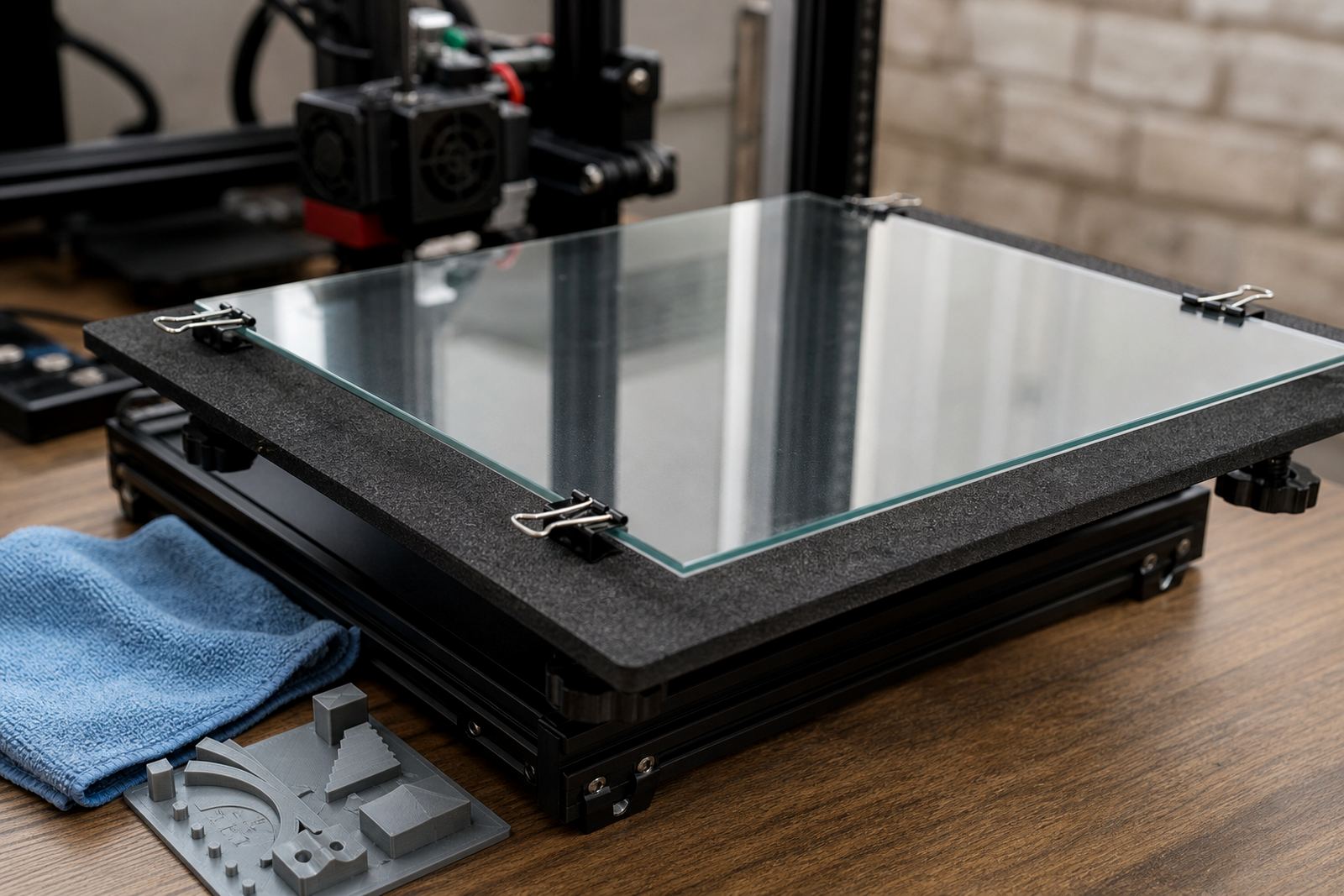
The 220 Glass Bed is a flat glass build plate option for 3D printers that need a stable, easy to inspect surface. It is commonly chosen by users who prefer to see the first layer clearly, check bed contact at a glance, and keep the build area easy to clean between jobs. For schools, maker spaces and small production setups, it is a practical choice when the team wants a known surface that does not change much from job to job.
In South Africa, many users keep a glass bed as a dependable spare or main surface for slower, more careful printing. It can suit PLA and other common materials when paired with the right adhesive approach and correct temperatures. If your machine is used for demonstrations or repeated test prints, a glass bed can make troubleshooting easier because the surface itself is very consistent.
Sizes, fit and machine compatibility
The 220 size refers to the build area class, so it is intended for printers with a 220 mm class bed or a machine that has been measured to accept this plate size. Before ordering, check the actual usable bed area, clip positions, carriage clearance and whether your machine uses a fixed plate or removable surface. A plate that is too tight can chip at the corners during installtion, while one that is too small leaves unsupported edges.
- Check the printer's nominal bed size and the real usable area
- Confirm whether clips, magnets or a removable carrier are used
- Measure the carriage and nozzle clearance at all four corners
- Allow space for thermal expansion and safe edge clearance
- Confirm if you need a plain plate or a glass surface with an added adhesion layer
For Centurion, Pretoria, Johannesburg and surrounding Gauteng areas, buyers often order with a spare surface in mind so the machine can keep running if one plate is being cleaned or checked. Schools and print farms often prefer to standardise the same size across multiple machines, which makes training and stock control easier.
Where glass beds suit the work best
This product is a good fit where flatness, easy inspection and simple cleaning matter more than fast surface swapping. It works well for beginner printers learning bed setup, for classroom machines used by many hands, and for longer run jobs where the operator wants a clear view of any first-layer issue. It is also a useful choice when a print farm wants to keep one familiar surface type across several units.
Glass is not the answer for every build, but it does have advantages in environments with dust, humidity and frequent handling. In coastal areas such as Durban and Gqeberha, users often look for surfaces that are easy to wipe down after storage or a busy print day. If you run a studio in Cape Town or a training room in Bloemfontein, the clean visual check before a print starts can save time and wasted material.
- School labs that need clear first-layer inspection
- Home users who want a rigid, tidy build surface
- Print farms using a standard surface across multiple machines
- Training centres where users are still learning bed levelling
Installation, power use and setup checks
The glass itself does not need any special power or gas supply. It is a passive build surface, so the machine uses its normal heated bed and electronics only. What matters is proper installation, even heating and safe clamping or mounting so the plate stays flat during the print. If your machine uses clips, make sure they do not interfere with the nozzle path or the moving carriage.
For best results, level the machine carefully after fitting the plate and run a first-layer check before a full job. Some users prefer to apply a light adhesive aid, while others use the glass directly depending on the material and the finish they want. A small mismatch in height can show up fast on glass, so take the time to verify Z offset and corner height before sending a long print.
- Confirm the heated bed reaches your normal working temperature
- Check the plate sits flat with no rocking
- Make sure the nozzle cannot strike clips or raised edges
- Recheck bed levelling after the first heat cycle
- Store the plate on a flat surface when removed
Care, cleaning and ongoing servicing
Glass is easy to keep clean if it is handled with care. After the bed cools, remove residue with a suitable cleaner and a lint-free cloth. Avoid sharp tools that can scratch the surface or chip the edges. If the plate has adhesive build-up, clean it rather than scraping hard at one spot. The aim is to keep the surface even, because any damage can show up in the next print.
For regular servicing, check the corners and edges for chips, look for small cracks and confirm the plate still sits level after repeated use. In busy print farms, we often recommend a simple bed-care routine so every operator follows the same steps. That keeps the surface in service longer and makes fault finding easier when a print starts to fail for no obvious reason. It also helps in schools where different users may handle the same machine in a day.
If the plate is used in a humid room or near a coastal storage area, dry it fully before putting it away. A clean, dry glass bed is less likely to pick up dust or marks before the next job. Good care also means fewer reprints and less time spent adjusting the first layer.
What to check before you order
Before placing an order, check the exact dimensions of the bed area, the printer model and the way the current surface is mounted. If you are replacing a damaged plate, measure both the usable print area and the outer size so the new part fits properly. Also confirm whether you want a plain glass surface only, or whether your setup needs extra fitting support or a surface refresh at the same time.
For customers in Pretoria East, Midrand, Johannesburg, Cape Town, Durban, Bloemfontein and Gqeberha, it helps to plan the full bed setup in one go. That may include installation support, flatness checking, fitting guidance or consumables for adhesion. If the printer is used by a team, ask who will be fitting and cleaning the plate so the right care method is supplied from the start.
- Printer model and bed size
- Required outer dimensions and usable print area
- Mounting method and clip clearance
- Any adhesive or surface preparation needed
- Whether you need installation help or training for users
Key facts
| Product type | Flat glass build plate for 3D printers |
|---|---|
| Build area class | 220 mm class |
| Surface | Rigid glass |
| Use case | Visual first-layer checks and stable printing |
| Installation needs | Heated bed, correct levelling, secure mounting |
| Support available | Plate installation, bed flatness check, adhesion troubleshooting |